آموزش ساخت دکمه top ( برگشت به بالا)
در این مقاله می آموزیم که چطور با استفاده از کد CSS , Html دکمه های Scroll Back To Top Button ایجاد کنیم.
قدم اول : کد HTML را اضافه کنید.
مثال :
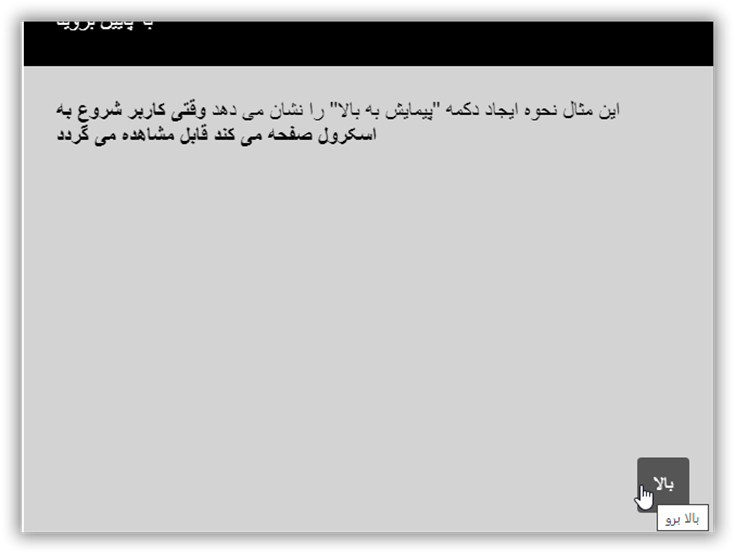
دکمه ای ایجاد کنید که هنگامیکه کاربر بر روی آن کلیک میکند به بالای صفحه بازگردد.
قدم دوم : کد CSS را اضافه کنید.
مثال :
                                 #myBtn {
                  display: none; /* Hidden by default */
                  position: fixed; /* Fixed/sticky position */
                  bottom: 20px; /* Place the button at the bottom of the page */
                  right: 30px; /* Place the button 30px from the right */
                  z-index: 99; /* Make sure it does not overlap */
                  border: none; /* Remove borders */
                  outline: none; /* Remove outline */
                  background-color: red; /* Set a background color */
                  color: white; /* Text color */
                  cursor: pointer; /* Add a mouse pointer on hover */
                  padding: 15px; /* Some padding */
                  border-radius: 10px; /* Rounded corners */
                  font-size: 18px; /* Increase font size */
                }

                #myBtn:hover {
                  background-color: #555; /* Add a dark-grey background on hover */
                }
قدم سوم : کد جاوا اسکریپت را اضافه کنید.
مثال :
                                    //Get the button:
                mybutton = document.getElementById("myBtn");

                // When the user scrolls down 20px from the top of the document, show the button
                window.onscroll = function() {scrollFunction()};

                function scrollFunction() {
                  if (document.body.scrollTop > 20 || document.documentElement.scrollTop > 20) {
                    mybutton.style.display = "block";
                  } else {
                    mybutton.style.display = "none";
                  }
                }

                // When the user clicks on the button, scroll to the top of the document
                function topFunction() {
                  document.body.scrollTop = 0; // For Safari
                  document.documentElement.scrollTop = 0; // For Chrome, Firefox, IE and Opera
                }
نمونه یک:
<button onclick="topFunction()" id="myBtn" title="Go to top">Top</button>
<div style="background-color:black;color:white;padding:30px">Scroll Down</div>
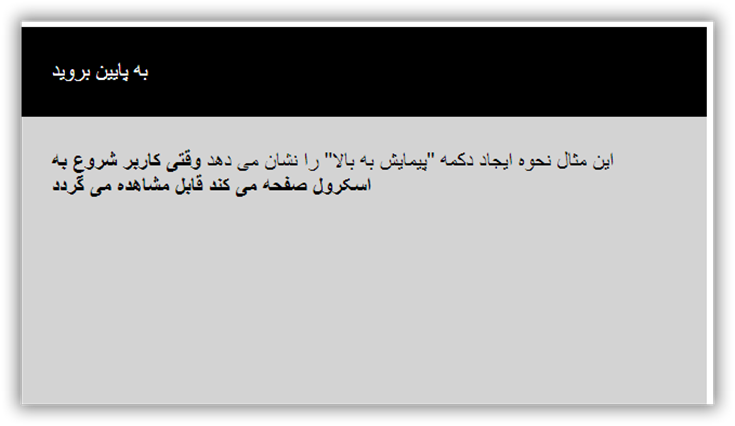
<div style="background-color:lightgrey;padding:30px 30px 2500px">This example demonstrates how to create a "scroll to top" button that becomes visible
<strong>when the user starts to scroll the page</strong>.</div><script>
//Get the button
var mybutton = document.getElementById("myBtn");// When the user scrolls down 20px from the top of the document, show the button
window.onscroll = function() {scrollFunction()};function scrollFunction() {
if (document.body.scrollTop > 20 || document.documentElement.scrollTop > 20) {
mybutton.style.display = "block";
} else {
mybutton.style.display = "none";
}
}// When the user clicks on the button, scroll to the top of the document
function topFunction() {
document.body.scrollTop = 0;
document.documentElement.scrollTop = 0;
}
</script>
نمونه دکمه Scroll Back To Top Button