
مشخصات کتاب
-
Allen G.Taylor
-
2008
-
انگلیسی
-
3949
-
570
-
0
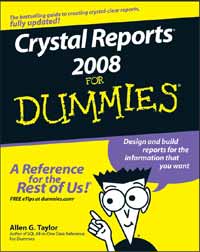
Crystal Reports® 2008 For Dummies®
Introduction..................................................................1
About This Book...............................................................................................1
Conventions Used in This Book .....................................................................1
What You’re Not to Read.................................................................................2
Foolish Assumptions .......................................................................................2
How This Book Is Organized...........................................................................3
Part I: Reporting Basics .........................................................................3
Part II: Moving Up to Professional-Quality Reports ...........................3
Part III: Advanced Report Types and Features...................................3
Part IV: Crystal Reports in the Enterprise ..........................................3
Part V: Publishing Your Reports...........................................................4
Part VI: The Part of Tens .......................................................................4
Icons Used in This Book..................................................................................4
Where to Go from Here....................................................................................5
Part I: Reporting Basics.................................................7
Chapter 1: Transforming Raw Data into Meaningful Information . . . . .9
Major Features of Crystal Reports 2008........................................................9
Formatting a report..............................................................................10
Generating barcodes............................................................................11
Enhancing a report with formulas and custom functions...............11
Getting visual with charts and maps .................................................11
Xcelsius integration .............................................................................12
Adobe Flash integration ......................................................................12
Displaying a report...............................................................................12
Distributing a report ............................................................................12
Supplying Crystal Reports with data .................................................13
The Lone Edition of Crystal Reports 2008 ..................................................13
Viewing a Report ............................................................................................13
Reading a printed report .....................................................................13
Viewing a report with Crystal Reports ..............................................14
Viewing a report on a LAN or on the Web.........................................16
Chapter 2: Create a Simple Report Right Now! . . . . . . . . . . . . . . . . . . .17
First Things First: Finding the Sample Database........................................18
Starting Crystal Reports 2008.......................................................................18
Creating a Report with the Blank Report Option.......................................20
Allocating more space to the layout ..................................................24
Introducing your report.......................................................................25
Choosing the fields that appear in your report................................27
Improving the readability of page headers .......................................29
Previewing the report ..........................................................................30
Page footers carry useful information...............................................32
Wrapping things up with a report footer ..........................................34
Recording helpful information about your report ...........................34
Printing a Report ............................................................................................36
Where to Go from Here..................................................................................36
Chapter 3: Report Design Guidelines . . . . . . . . . . . . . . . . . . . . . . . . . . . .37
Defining an Effective Report Design ............................................................37
Defining Your Audience.................................................................................37
Defining the Report’s Purpose......................................................................38
Choosing Content for Your Report ..............................................................39
Choosing the Report Appearance................................................................39
Making a good first impression ..........................................................40
Deciding how best to present the information.................................40
Choosing graphic elements for your report .....................................41
Style communicates meaning, too .....................................................41
Making sure your report conveys your message .............................42
Chapter 4: Starting Your Report . . . . . . . . . . . . . . . . . . . . . . . . . . . . . . . . .43
Using the Report Creation Wizard ...............................................................43
Creating a report with the Standard Report Creation Wizard........44
Using other report-creation wizards..................................................49
Starting with a Blank Report.........................................................................49
Connecting Your Report to Its Data Source................................................50
Accessing database files directly .......................................................51
Connecting to ODBC data sources.....................................................51
Retrieving data with SQL.....................................................................52
Reporting on data in OLE DB data sources.......................................53
Which interface should you use? .......................................................53
Part II: Moving Up to Professional-Quality Reports ........55
Chapter 5: Pulling Specific Data from a Database . . . . . . . . . . . . . . . .57
Get Data Quickly with Select Expert............................................................57
Using Formulas to Retrieve Data..................................................................64
Using Parameter Fields to Retrieve Data at Runtime ................................66
Step 1: Creating a report that shows everything..............................67
Step 2: Giving the user the power to decide what to show ............70
Speed retrievals with indexes.............................................................72
Changing parameter values to change the report ...........................72
Troubleshooting Tips When Retrieving Data .............................................73
Chapter 6: Sorting, Grouping, and Totaling Report Data . . . . . . . . . . .75
Sorting Report Data .......................................................................................75
Sorting based on multiple fields.........................................................77
Sorting and performance.....................................................................81
Adding Sort Controls to a Report ................................................................82
Grouping Related Items.................................................................................85
Calculating Percentages ................................................................................89
Drilling Down for Detail .................................................................................90
Keeping Track of Things with Running Totals............................................94
Troubleshooting Sorting, Grouping, and Totaling Problems....................97
Sorting problems and how to solve them .........................................98
Unusual grouping options ...................................................................98
Getting the right totals ........................................................................99
Chapter 7: Mastering Report Sections . . . . . . . . . . . . . . . . . . . . . . . . . .101
Changing the Size of a Section....................................................................101
Formatting with the Section Formatting Menu ........................................103
Using Section Expert for Easy Section Formatting ..................................104
Common tab, Section Expert ............................................................105
Paging tab, Section Expert ................................................................106
Color tab, Section Expert ..................................................................107
Placing Groups Where You Want Them.....................................................110
Starting each group at the top of its own page ..............................110
Printing totals at the bottom of a page............................................112
Restarting page numbering at the beginning of each group.........113
Hiding Details with Summary and Drill-Down Reports ...........................113
Generating Barcodes ...................................................................................114
Creating Mailing Labels ...............................................................................117
Saving Money on Postage with a ZIP Sort.................................................120
Chapter 8: Enhancing Your Report’s Appearance . . . . . . . . . . . . . . . .123
Absolute Formatting ....................................................................................124
Setting the fonts and their formatting for emphasis......................124
Adding graphical elements for emphasis........................................128
Conditional Formatting Using the Format Editor.....................................130
Creating Emphasis with Highlighting Expert ...........................................132
Adding Pictures to Your Report .................................................................134
Aligning Preprinted Forms..........................................................................136
Adding Text from a File ...............................................................................136
Formatting Options......................................................................................137
Special Fields Contain Report Metadata ...................................................139
Raising a Red Flag with Report Alerts .......................................................139
Using Report Templates to Save Time and Effort ....................................142
Applying a template to a report .......................................................143
Applying a template to an existing report.......................................143
Applying a template to a report you’re creating ............................145
Part III: Advanced Report Types and Features .............147
Chapter 9: Displaying Your Top Ten (Or Top N) with Group Sort . . . .149
Sorting Groups Based on Performance .....................................................149
Starting a Top N Report .....................................................................150
Displaying a group total.....................................................................154
Hiding the details ...............................................................................155
Removing page breaks.......................................................................157
Going with the Percentages ........................................................................160
What if you want the top 17 instead of the top 5? .........................161
A Choice of Group Sorts..............................................................................164
Troubleshooting Group Sort Problems .....................................................165
Chapter 10: Adding Formulas to Reports . . . . . . . . . . . . . . . . . . . . . . . .167
Formula Overview and Syntax ...................................................................167
Lessening the Workload with Functions ...................................................168
Creating a Custom Function in Formula Workshop.................................169
Formula Editor....................................................................................173
Formula Expert ...................................................................................175
SQL Expression Editor .......................................................................177
Selection formulas..............................................................................177
Formatting formulas...........................................................................181
Changing and Deleting Formulas ...............................................................182
Data Types ....................................................................................................182
Simple data types ...............................................................................182
Range data types ................................................................................184
Array data types .................................................................................184
Variables in Formulas ..................................................................................185
Declaring a variable ...........................................................................185
Assigning a value to a variable .........................................................186
Control Structures........................................................................................186
If-Then-Else..........................................................................................186
Select Case ..........................................................................................187
For loop................................................................................................187
While Do loop .....................................................................................188
Do While loop .....................................................................................189
Chapter 11: Creating Reports within a Report . . . . . . . . . . . . . . . . . . .191
Combining Unrelated Reports ....................................................................191
Underlay formatting for side-by-side location of subreport.........195
Drilling down in a subreport .............................................................196
Linking a Subreport to a Primary Report..................................................197
On-Demand Subreports Boost Efficiency..................................................203
Passing Data between Reports...................................................................204
Troubleshooting Subreport Problems.......................................................205
Chapter 12: Combining Report Elements with OLE . . . . . . . . . . . . . . .207
Overview of OLE...........................................................................................207
Static OLE Objects .......................................................................................208
Inserting a static OLE object into a report......................................208
Making a static OLE object editable ................................................210
Embedded OLE Objects ..............................................................................212
Embedding an OLE object into a report ..........................................212
Linked OLE Objects .....................................................................................214
Embedding or Linking an Object Taken from a File.................................217
Integrating Shockwave Flash Objects into Your Reports........................217
Chapter 13: Creating and Updating OLAP Reports . . . . . . . . . . . . . . . .219
What’s OLAP, and Why Might You Need It? ..............................................219
Who uses OLAP?.................................................................................220
Creating multidimensional views .....................................................220
Connecting to an OLAP data source ................................................221
OLAP Reporting with Crystal Reports ......................................................221
Operating on OLAP grid objects.......................................................222
Creating a three-dimensional report................................................222
Updating an OLAP Report...........................................................................232
Formatting Data in an OLAP Report ..........................................................233
Changing a dimension’s background color.....................................234
Creating an alias for a dimension .....................................................235
Formatting grid lines..........................................................................236
Labeling dimensions ..........................................................................237
Changing Data Appearance in an OLAP Report .......................................238
Showing and hiding dimensions.......................................................239
Adding totals to an OLAP grid ..........................................................240
Pivoting an OLAP grid........................................................................240
Reordering fields ................................................................................241
Sorting data.........................................................................................242
Filtering data .......................................................................................243
Making calculations ...........................................................................243
Chapter 14: Using Cross-Tab Reports to Mine Your Data . . . . . . . . . .245
Creating a Cross-Tab Object to Summarize All Report Data ..................245
Summarizing the Contents of a Group with a Cross-Tab ........................249
Making Calculations within a Cross-Tab Row or Column .......................255
Enhancing the Appearance and Readability of a Cross-Tab Object ......256
Changing the width and height of cross-tab cells ..........................256
Formatting entire rows and columns...............................................257
Formatting individual fields ..............................................................257
Suppressing selected cross-tab data ...............................................258
Printing cross-tabs that span multiple pages .................................258
Chapter 15: Enhancing Reports with Charts . . . . . . . . . . . . . . . . . . . . .259
Using Chart Expert.......................................................................................259
Type tab...............................................................................................260
Data tab................................................................................................260
Axes tab ...............................................................................................261
Options tab..........................................................................................262
Color Highlight tab .............................................................................263
Text tab................................................................................................263
Creating a Chart ...........................................................................................263
Drilling down from a chart ................................................................266
Changing a chart.................................................................................267
Choosing the Best Chart Type for Your Data ...........................................267
Side-by-side bar chart ........................................................................267
Percent bar chart ...............................................................................268
Line chart ............................................................................................268
Area chart............................................................................................269
Pie chart ..............................................................................................270
Doughnut chart...................................................................................270
3-D riser chart .....................................................................................271
3-D surface chart ................................................................................272
XY scatter chart..................................................................................272
Radar chart .........................................................................................273
Bubble chart .......................................................................................273
Stock chart ..........................................................................................274
Numeric axis chart .............................................................................275
Gauge chart .........................................................................................276
Gantt chart ..........................................................................................276
Funnel chart ........................................................................................277
Histogram ............................................................................................278
Different Chart Layouts for Different Data Types ....................................278
Seeing How Chart Placement Affects the Data It Represents.................280
Troubleshooting Chart Problems ..............................................................281
Selecting data to make a chart readable and meaningful .............281
The placement of chart elements matters......................................282
Chapter 16: Adding Geographic Detail with Maps . . . . . . . . . . . . . . .283
Choosing the Right Crystal Reports Map .................................................283
Map layouts.........................................................................................284
Map types............................................................................................284
Map placement ...................................................................................286
Creating a Map Step by Step.......................................................................286
Creating an advanced layout map....................................................286
Creating a Group layout map............................................................288
Creating a Cross-Tab layout map .....................................................289
Creating an OLAP layout map...........................................................290
Including maps in subreports...........................................................291
Changing maps ...................................................................................291
Troubleshooting Map Problems.................................................................291
Chapter 17: Interactivity Features . . . . . . . . . . . . . . . . . . . . . . . . . . . . . .293
Crystal Xcelsius Overview ..........................................................................293
Adding Xcelsius Capability to a Report ....................................................294
Creating an SWF file with Crystal Xcelsius......................................295
Embedding your Crystal Xcelsius model in a Crystal report .......298
Enhancing a Report with the Tasteful Use of Flash .................................300
Viewing Flash visualizations .............................................................300
Dynamic interaction with a report using a Parameter panel........300
Part IV: Crystal Reports in the Enterprise ....................303
Chapter 18: Crystal Reports Server . . . . . . . . . . . . . . . . . . . . . . . . . . . . .305
Connecting to Data Sources........................................................................306
Connecting directly or indirectly .....................................................306
Using Business Views to simplify connectivity ..............................306
Formatting Reports with Crystal Reports Developer..............................307
Providing Platform Services .......................................................................307
Publishing and distributing reports.................................................307
Providing security ..............................................................................308
Managing the system .........................................................................308
Useful Management Tools...........................................................................309
Application Services....................................................................................309
Web Services.................................................................................................309
Viewing and Interacting with Reports .......................................................310
Chapter 19: BusinessObjects Enterprise Repository . . . . . . . . . . . . .311
Adding Folders to Your Repository ...........................................................312
Storing Your Valuables in BusinessObjects Enterprise Repository ......312
Adding text and bitmapped objects to the Repository.................313
Adding custom functions to the Repository...................................313
Adding SQL commands to the Repository......................................314
Using Repository Objects in a Report .......................................................314
Adding text objects and images .......................................................314
Adding custom functions ..................................................................315
Adding SQL commands .....................................................................315
Modifying a Repository Object ..................................................................315
Deciding Whether to Update Reports Automatically..............................317
Deleting Objects from the Repository.......................................................318
Chapter 20: Navigating with Report Parts . . . . . . . . . . . . . . . . . . . . . . .319
Understanding Report Parts Navigation ...................................................319
Using Report Parts to Navigate a Report ..................................................320
Using the Report Parts Drill-down method.....................................321
Using the Another Report Object method ......................................325
Part V: Publishing Your Reports .................................327
Chapter 21: Sending Your Reports Out into the World . . . . . . . . . . . .329
Printing Your Report....................................................................................329
Faxing a Report.............................................................................................330
Exporting a Report.......................................................................................331
Export format types ...........................................................................331
Export destinations............................................................................334
Troubleshooting Output Problems............................................................342
Chapter 22: Displaying Reports Online . . . . . . . . . . . . . . . . . . . . . . . . .343
Exporting to a Static HTML Page ...............................................................344
Adding a Hyperlink to a Report..................................................................346
Distributing Reports via crystalreports.com ...........................................349
Integrating with salesforce.com.................................................................350
Publishing to crystalreports.com with Crystal
Reports Desktop Publisher .....................................................................351
Interactive Report Viewing with Crystal Reports Viewer.......................354
Opening a report in Crystal Reports Viewer ..................................355
Navigating a report.............................................................................355
Printing a report .................................................................................359
E-mailing reports to your friends and co-workers .........................360
Sharing reports in a variety of formats............................................360
Searching a haystack for that elusive needle .................................361
Accessing reports on crystalreports.com.......................................361
Chapter 23: SQL Expression Fields . . . . . . . . . . . . . . . . . . . . . . . . . . . . .363
Creating an SQL Statement .........................................................................363
Modifying an SQL Statement.......................................................................366
Part VI: The Part of Tens ............................................369
Chapter 24: Ten Things to Do Before You Create a Report . . . . . . . . .371
Chapter 25: Ten Ways to Give Your Reports More Pizzazz . . . . . . . . .375
Index........................................................................379
Crystal Reports for Visual Studio .Net 2 nd Edition
Crystal Reports for Visual Studio .Net 2 nd Edition
نویسنده: David McAmis
زبان: انگلیسی