
مشخصات کتاب
-
Bill Evjen
-
2012
-
انگلیسی
-
4546
-
402
-
0
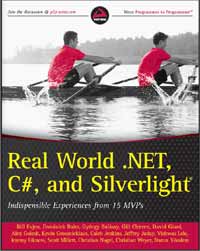
REAL WORLD .NET 4, C#, AND SILVERLIGHT®
CONTENTS
INTRODUCTION xxix
CHAPTER 1: ASP.NET AND JQUERY 1
Understanding Web Forms 2
View State 3
web.confi g Transformations 4
Simplifi ed web.confi g 5
New ASP.NET Web Forms Templates 5
ASP.NET MVC 8
Versions of MVC 8
The Pieces of MVC 9
Model 9
View 10
Controller 11
Action Methods 11
Model Binding 12
URL Routing 12
Accessing a Database 14
MVC Tooling 14
Creating a New Project 14
Referenced Assemblies 16
Site Structure 17
Adding a Controller 18
Adding a View 19
Sample Application 20
Sample Application Database 20
Departments 20
ASP.NET MVC Framework Summary 27
jQuery 28
Manipulating DOM Elements with jQuery 30
Calling Server Code with jQuery 31
jQuery 32
Summary 32
About the Author 32
xvi
CONTENTS
CHAPTER 2: ASP.NET PERFORMANCE 33
Looking at How ASP.NET Handles Page Requests 33
State Management and Caching 35
Understanding State in .NET 36
Working with Sessions 37
Running Sessions In-Process 38
Running Sessions Out of Process 39
Maintaining Sessions on SQL Server 40
Deciding on the State of Sessions 41
Working with Output Caching 42
VaryByParam 43
VaryByHeader 43
VaryByControl 44
VaryByCustom 44
Extending <outputCache> 45
Partial Page (UserControl) Caching 46
Looking at .NET 4’s New Object Caching Option 47
Caching Web Services 50
Hardware Considerations 51
Using Performance Counters 52
Viewing Performance Counters Through an Administration Tool 52
Tips and Tricks 55
Keep Requests Down to a Minimum 55
Make Use of Content Delivery Networks 56
Enable the Browser to Cache Items Longer 57
Enabling Content Compression 59
Location of Content in Your Pages 60
Make JavaScript and CSS External 60
Summary 61
About the Author 61
CHAPTER 3: ETHICAL HACKING OF ASP.NET 63
Ethical Hacking — Is That an Oxymoron? 64
Filling Your Toolbox 65
Fiddler 65
Firebug 67
Internet Explorer 9 Developer Toolbar 68
Lens 69
xvii
CONTENTS
Understanding Session Management 70
Session Management in HTTP 71
Session Management in ASP.NET 72
Attacking the ASP.NET Authentication 72
Deep Dive into ASP.NET Authentication 72
Stealing the Ticket 73
Tampering with the Ticket 75
Hijacking the Login Session 75
Protecting Your Application Against Login Session Hijacking 77
Cross-Site Request Forgery 80
Protecting Against CSRF Attacks 81
Additional Protection Against CSRF 82
Attacking the ASP.NET Session 83
ASP.NET Session Under the Covers 83
Guessing the Session ID 83
Stealing the Session Cookie 84
Testing Your Application Against Session Hijacking 84
Protecting Your Website Against Session Hijacking 85
Session Fixation 88
Protecting Your Application Against Session Fixation Attacks 89
Hacking the View State 90
Peeking into the View State 90
Testing Your View State Against Information Disclosure 91
Encrypting Your View State 92
Tampering with the View State 93
Reposting the View State 94
Tricking Event Handlers 95
Event Validation Internals 96
Hacking Event Validation 96
Pushing the Disabled Button 97
Pushing the Invisible Button 97
Protecting Your Site Against POST Attacks 98
Summary 99
About the Author 99
CHAPTER 4: HOW TO BUILD A REAL WORLD
SILVERLIGHT 5 APPLICATION 101
Setting the Scene for the Application 102
Prototype First, Code Later — Using SketchFlow 103
Introducing SketchFlow 104
xviii
CONTENTS
Finding Your Way Around SketchFlow 105
Creating the Application’s Prototype 105
The Map of the Application 106
Screen Mockup 106
Testing the Prototype and Gathering Feedback 108
Data-Binding Primer 110
Hello, Data Binding 110
Binding Syntax 110
Binding Modes 112
INotifyPropertyChanged Interface 112
Converters 113
Creating a Data Bound Screen 113
WCF RIA Services in Action 115
Choosing the Service-Layer Technology 116
Hello to You, WCF RIA Services 117
Why WCF RIA Services? 118
Architecture and Concepts of RIA Services 118
Creating the Server-Side 119
Setting Up the Solution 119
Data Access Using Entity Framework 121
Creating the Actual Services 122
Convention Is the Rule 125
Meanwhile, in the Silverlight Project 126
Loading Data in the MovieSelection Screen 126
Polishing the Screen 128
Applying the MVVM Pattern 129
Diff erent Parts, Diff erent Roles 131
The View 131
The ViewModel 131
The Model 131
Choosing the MVVM Approach 131
Picking a Little Helper — MVVM Light 132
Refactoring to MVVM 132
The Model 132
The ViewModel 133
The View 135
At Your Command 137
Messaging 139
Creating Customized Controls 140
Control Templates 140
Summary 143
About the Author 143
xix
CONTENTS
CHAPTER 5: SILVERLIGHT — THE SILVER LINING FOR
LINE-OF-BUSINESS APPLICATIONS 145
Getting Started 146
Hello, Business World! 146
The Application Class 147
The UserControl Class 148
Project Templates 149
Silverlight Application 149
Silverlight Class Library 150
Silverlight Business Application 150
Silverlight Navigation Application 150
Other Application Templates 150
XAML Is Object XML 151
Hosting Silverlight Applications 152
Providing Excellent IApplicationService 153
Choosing the Right Silverlight Framework 155
Getting SOLID: MVC, MVP, and MVVM 155
Dependency Injection and Inversion of Control 157
The Managed Extensibility Framework 158
MVVM Frameworks 161
Prism 161
MVVM Light 162
nRoute 162
Caliburn.Micro 162
Jounce 163
Taking Silverlight Out-of-the-Box 164
Dynamic Loading 164
Out-of-Browser Applications 165
Isolated Storage 165
Communication 166
The Future of Silverlight 167
Summary 167
About the Author 168
CHAPTER 6: TIPS AND TRICKS FOR
DESIGNERS AND DEVELOPERS 169
Understanding the Diff erences Between
Silverlight and WPF 170
Choosing XAML over Other Markups 170
Understanding the Separation of Concerns 170
xx
CONTENTS
Tips and Tricks for Designers 170
Naming Your Objects 170
Designing in Photoshop 171
Importing Assets from Photoshop 172
Using Sample Data for a Better Design Experience 172
Tips and Tricks for Developers 174
Showing Sample Data in Design Mode 174
Using Behaviors to Make Things Easier 175
Summary 177
About the Author 177
CHAPTER 7: MVVM PATTERNS IN SILVERLIGHT 4 179
Developing Your Own Framework 180
Getting to Know MVVM 180
Creating an MVVM Framework 182
Framework Goals 182
Framework Technologies 184
Getting Started 185
Defi ning ViewModels 186
Creating New Views and View Models 195
Registering Views and View Models 197
Displaying Views 202
Building Composite Screens 208
Displaying Dialogs 214
Communicating Between Views 216
Putting the MVVM Framework to Use 217
Existing MVVM Frameworks 217
Prism 218
MVVM Light 218
Caliburn.Micro 219
Other Frameworks 219
Additional Considerations 220
Data Binding 220
Commands 220
Data Access 221
Summary 221
About the Author 222
xxi
CONTENTS
CHAPTER 8: WINDOWS PHONE “MANGO”
FOR SILVERLIGHT DEVELOPERS 223
Hardware Foundation 223
Camera API 223
Camera Best Practices 227
Sensors API 227
Gyroscope 227
Compass 228
Motion 229
Sensors Best Practices 230
Software Foundation 230
Runtime Improvements 230
Tools Enhancements 230
Network Sockets 231
Silverlight/XNA Hybrid Applications 233
Local Database 234
Application Model 235
Fast Application Switching (FAS) 235
Multitasking 237
Background Agents 237
Notifi cations 239
Background Transfer Service 240
Integration Service 241
Secondary Tiles 241
Push Notifi cations 242
Contacts/Appointments Data Access 243
Summary 244
About the Author 245
CHAPTER 9: PRAGMATIC SERVICES
COMMUNICATION WITH WCF 247
Sample Project 248
Service Orientation Revisited 249
Distributed Means Communication 249
Service Orientation 251
WCF Basics 101 252
Basic Toolset 252
xxii
CONTENTS
The Power of the B 254
Less Is More 256
Application Scenario 256
Requirements 256
Application Architecture 256
Application Structure 258
Modeling Services 259
Contracts 260
Service Contracts 260
Operation Contracts 261
Messages 265
Message Contracts 265
Data Contracts 266
Fault Contracts 268
Paging Data 269
Metadata 270
Flat WSDL 271
Metadata URLs 273
Implementing Services 276
Validation 277
Mapping 277
Tracing 280
Hosting Services 283
Customizing Hosting 283
Testing with Console Hosts 284
Self-Hosting with a Windows Service 284
Web-Hosting with WAS 287
Bootstrapping 289
Consuming Services 291
Shared Contracts 292
Asynchronous Calls 293
Service Agent Pattern 293
Complementing Service Approach 297
Web Programming Model 298
Hosting and Consuming 300
Optimization Strategies 302
Tweaking 302
Streaming 306
Summary 308
About the Author 309
xxiii
CONTENTS
CHAPTER 10: SECURING WCF SERVICES USING
THE WINDOWS IDENTITY FOUNDATION (WIF) 311
Identity in .NET Applications 311
Identity in the Base Class Library 312
Identity in WCF 313
Windows Identity Foundation 314
Security Token Handlers 315
Claims Transformation 316
Claims-Based Authorization 317
Recapping the Building Blocks 319
WCF and WIF 319
Prerequisites 319
Confi guring and Enabling WIF 320
Windows Authentication 321
Username/Password Authentication 322
X.509 Certifi cate Authentication 324
SAML Token Authentication 325
Sessions 326
Recapping Confi guring and Enabling 329
Transforming and Accessing Claims 329
Authorization 330
Tracing 333
Possible Solutions for Securing the
Movie Database SOAP Service 333
Internal Users 334
Adding Windows Authentication 334
Claims Transformation 336
Authorization 337
Adding an External Content Provider 340
Adding the Service Endpoint for External Users 341
Adjusting Claims Transformation 342
The Client 343
Assessing the Solution 344
Possible Solutions for Securing the
Movie Database REST Service 345
Internal Users 345
Token-Based Authentication 345
Summary 347
About the Author 348
xxiv
CONTENTS
CHAPTER 11: APPLIED .NET TASK PARALLEL LIBRARY 349
Problems and Solutions 350
Using Tasks 352
Task Class 353
Closures 355
Applying Tasks 359
Understanding TPL-Style Exception Handling 363
Understanding AggregateException 363
Implementing Exception Handling 363
Understanding Cancellations 365
Applying Cancellations — Basics 365
Applying Cancellations — Register Action, Interlocked 368
Using Concurrent Collections — ConcurrentQueue 370
Understanding Continuations 372
TaskCompletionSource 374
Implementing Continuations 375
AsyncState 379
Using the BlockingCollection Class 380
Working with a BlockingCollection 382
Understanding SpinWait.SpinUntil 385
Summary 387
About the Author 387
CHAPTER 12: THE WF PROGRAMMING LANGUAGE 389
Getting Started 390
Declarative Workfl ow Syntax 392
Variables and Arguments 393
Expressions 394
Properties 394
“Dynamic” Properties 395
Controlling the Flow of Execution 396
Procedural Style 396
Exception Handling 398
Transaction and Compensation 399
Parallel Execution 402
Flowchart Style 403
Messaging 405
Building Custom Activities 410
Activity 410
xxv
CONTENTS
CodeActivity 412
AsyncCodeActivity 413
NativeActivity 416
Understanding When to Use Custom Activities 418
Composite Activity 418
Life Cycle of an Activity 419
Using Persistence 422
Hosting Workfl ows Inside Windows AppFabric 423
Further Reading 424
Summary 425
About the Author 425
CHAPTER 13: PRACTICAL WPF DATA BINDING 427
Sample Application 427
Using MVVM 428
Understanding the Sample Application Structure 429
Understanding the Model 429
Understanding the ViewModel 430
Understanding the View 432
Using a Locator Class 433
Data Binding Overview 436
Understanding Data Context 437
Understanding Element-to-Element Binding 438
Understanding Binding Modes 438
Binding Based on Interfaces 438
Using Binding Commands 439
Using MVVM and DelegateCommand 440
Creating a ViewModel 441
Defi ning Commands with ViewModels 442
Binding Commands from XAML Code 443
Using Simple Data Binding 444
Value Conversion 445
Binding Multiple Properties 447
Binding to Lists 449
Filtering with CollectionViewSource 454
Displaying Item Details of Lists 456
Using Data Templates 458
Grouping 459
Using Hierarchical Data Binding 461
Binding Long Lists 466
xxvi
CONTENTS
Editing Data 469
Updating Data 469
Validation 476
Displaying Errors 477
Editing with a Grid 478
Summary 488
About the Author 488
CHAPTER 14: DRIVING DEVELOPMENT
WITH USER STORIES AND BDD 489
Capturing Requirements as Features with User Stories 489
Problems with Formal Requirements Documentation 490
Using User Stories to Focus on Business Value and
Promote Communication 490
Feature Scenarios and Story Acceptance Criteria 491
The Shortcomings of TDD 492
Focusing on Behavior with BDD 492
Outside-In Development 493
Turning Features into Code Using BDD Frameworks 494
Using NUnit in a BDD Style 494
MSpec 495
Ruby Cucumber and the Gherkin Domain
Specifi c Language (DSL) 496
SpecFlow 496
The Tic-Tac-Toe BDD Kata 497
Capturing the Tic-Tac-Toe Features with User Stories 498
Getting Started with the Project 501
Scenario: Starting a Game 503
Integrating the Starting a Game Scenario 514
Scenario: Alternating Players 515
Behavior 1: Ask for the Next Player 519
Behavior 2: Place the Token 523
Behavior 3: Display the Game 528
Behavior 4: Display the Next Player 533
Integrating the Alternate a Player Scenario 538
Scenario: Displaying the Game 539
Behavior 1: Placing the Token on the Grid 540
Behavior 2: Confi rming Placement of a Token 544
Behavior 3: Obtaining a Read-only View for Rendering 546
xxvii
CONTENTS
Integrating the Displaying a Game Scenario 551
Scenario: Winning the Game with Three in a Row 551
Behavior 1: End the Game if There Is a Winner 552
Behavior 2: Check for a Winning Line 554
Behavior 3: Displaying the Winner to the View 557
Behavior 4: Check the Grid for a Winner 559
Integrating the Winning a Game with Three in a Row Scenario 566
Completing the Game 567
Moving Forward 567
Summary 568
About the Author 568
CHAPTER 15: AUTOMATED UNIT TESTING 569
Understanding Unit Tests 569
Scope, LEGOs, and Connected Parts 569
Understanding Test-Driven Development 570
Understanding the Benefi ts of a Test-First Approach 571
Testable Code 571
Self-Documenting Code 571
Defensive Code 571
Maintainable Code 571
Code Smell Detector 572
Getting Oriented with a Basic Example 572
Assign, Act, Assert 573
Assign 573
Act 573
Assert 573
Code, Tests, Frameworks, and Runners 573
Code 574
Tests 574
Testing Framework 574
Test Runner 575
Using CI Servers and Source Control 577
Solution/Project Structure 578
Using NuGet to Blend nUnit and VS 2010 579
Methods with Fakes and Mocks 580
Faking with Dependency Injection 580
Mocking Frameworks 582
Class Attributes, Test Attributes, and Special Methods 583
xxviii
CONTENTS
Testing the Hard to Test — Pushing the Edges 584
Model View Controller (MVC) 586
Model View Presenter (MVP) 586
Model View ViewModel (MVVM) 587
Using Sensing Variables to Refactor Nontestable Code 587
Using Automated Unit Testing with Other Practices 588
Summary 590
About the Author 590

Pro Visual Studio Team System with Team Edition for Database Professionals
نویسنده: Jeff Levinson and David Nelson
زبان: انگلیسی